People & permissions
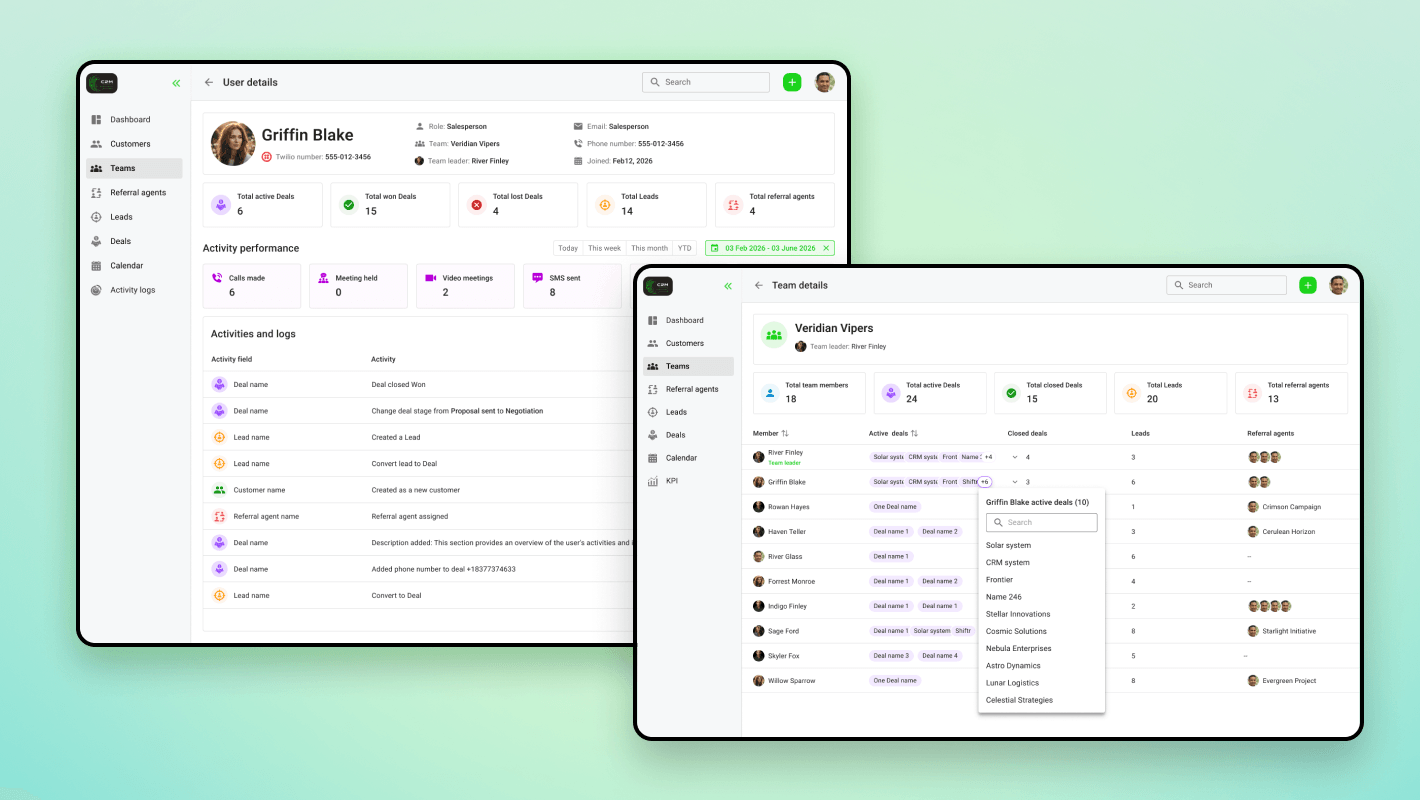
Distinct dashboards and access for different operational roles.
An enterprise needed a central system for sales and everyday operations. Shiftr designed and developed a custom CRM and ERP platform around its teams and their responsibilities.
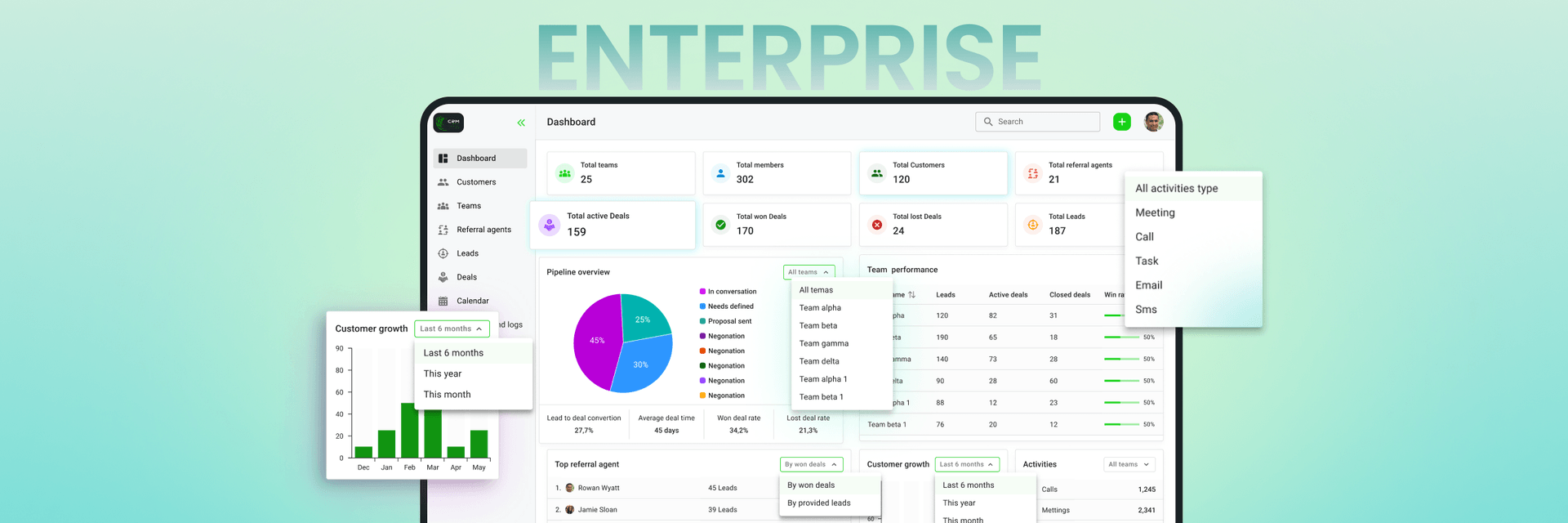
The client needed one internal application for the full sales lifecycle, customer relationships, and everyday operations. An off-the-shelf CRM could not match the depth of its workflows or the needs of different departments.
The brief brought together scheduling, calling, booking, reporting, and team coordination. Each user type needed its own permissions and dashboard while working within the same underlying system.
The main difficulty was coordinating many interdependent features without making routine work harder. Staff needed to move quickly between customer records, deals, calendars, and tasks. The system also had to separate access appropriately across roles and preserve the integrity of shared business information.
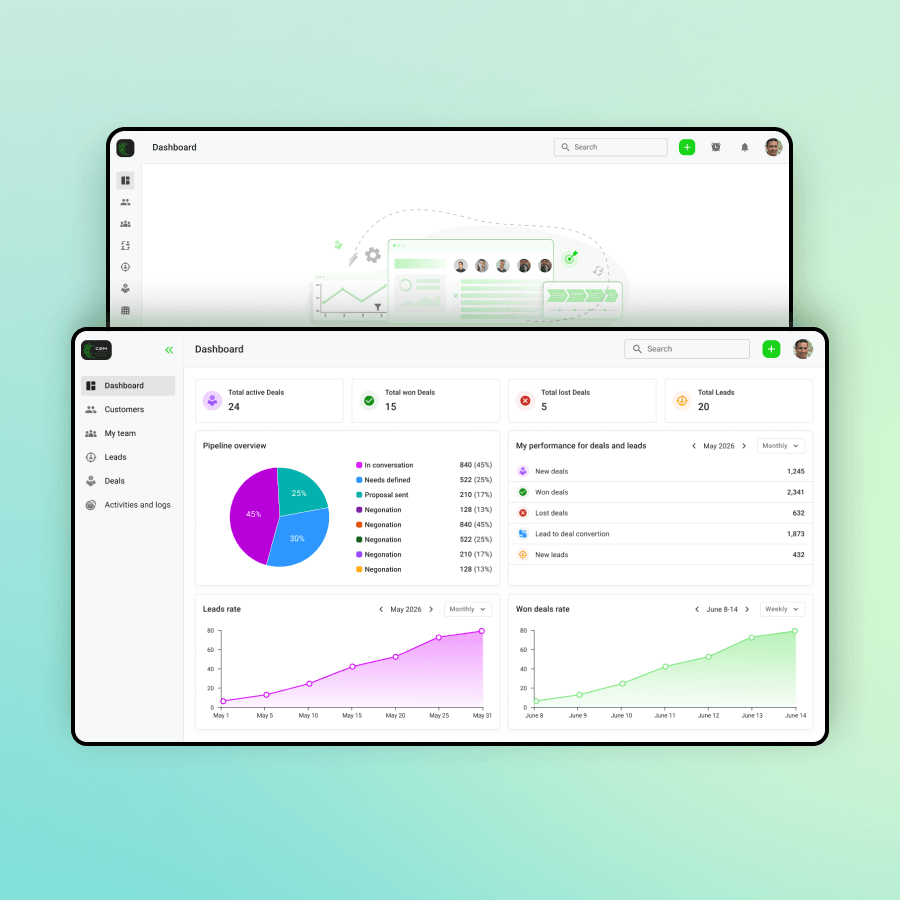
Shiftr developed a custom web application with lead and deal pipelines, customer records, integrated calendars and bookings, calling, activity tracking, reports, and workflow automation. Role-specific dashboards gave departments relevant views of the same operational environment.
Data architecture and authentication came first. Modules followed in phases, with client reviews guiding each iteration and role separation built in from the start.
The platform launched as the organization’s central operational system, replacing separate tools.
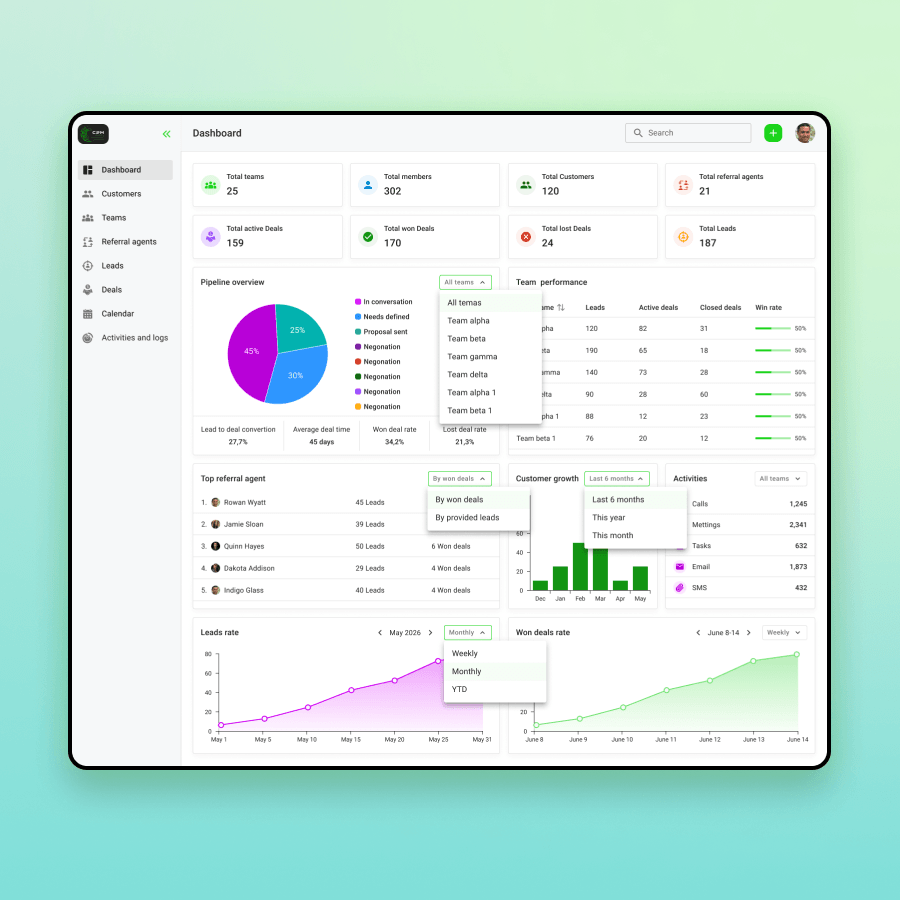
Distinct dashboards and access for different operational roles.
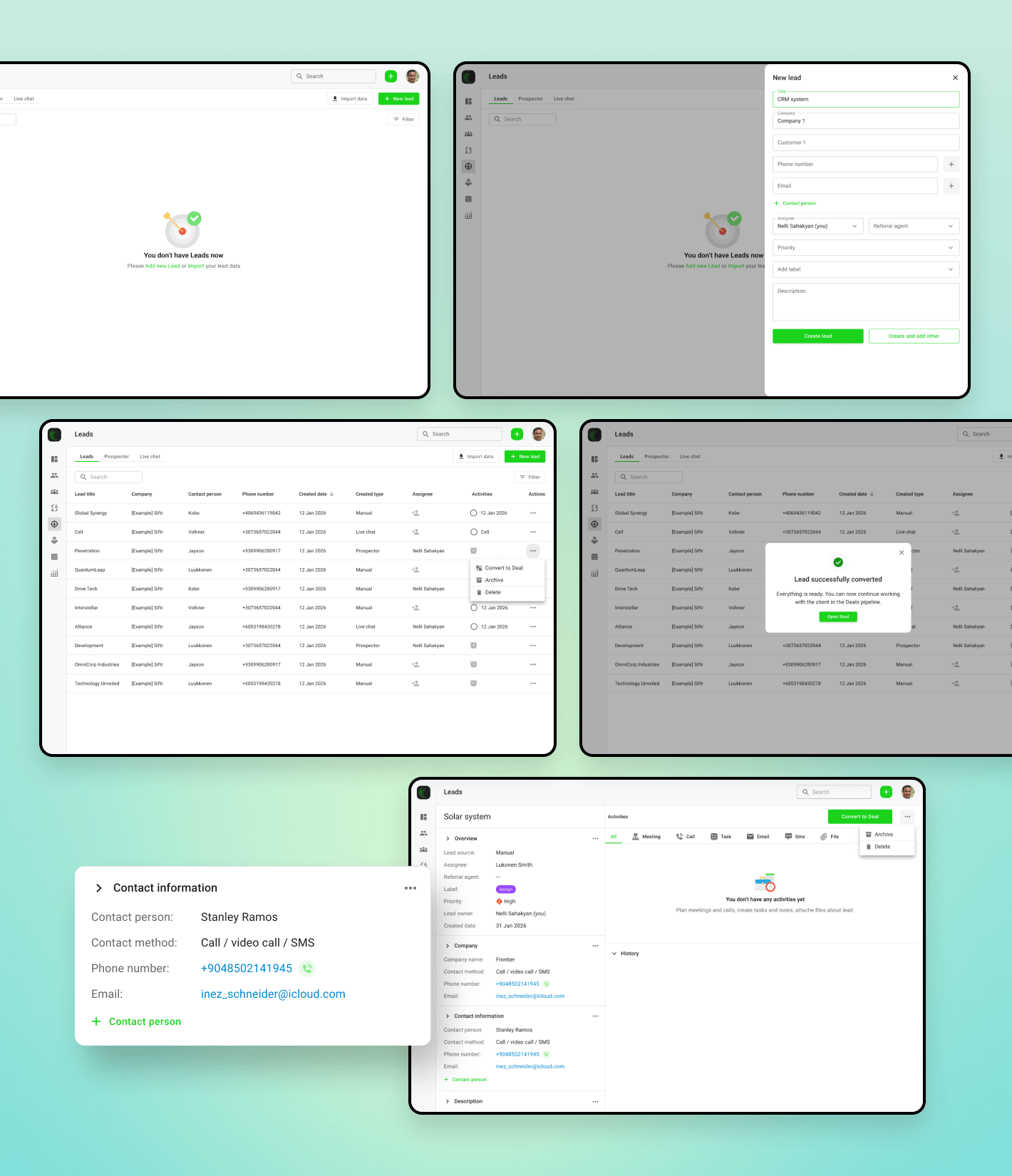
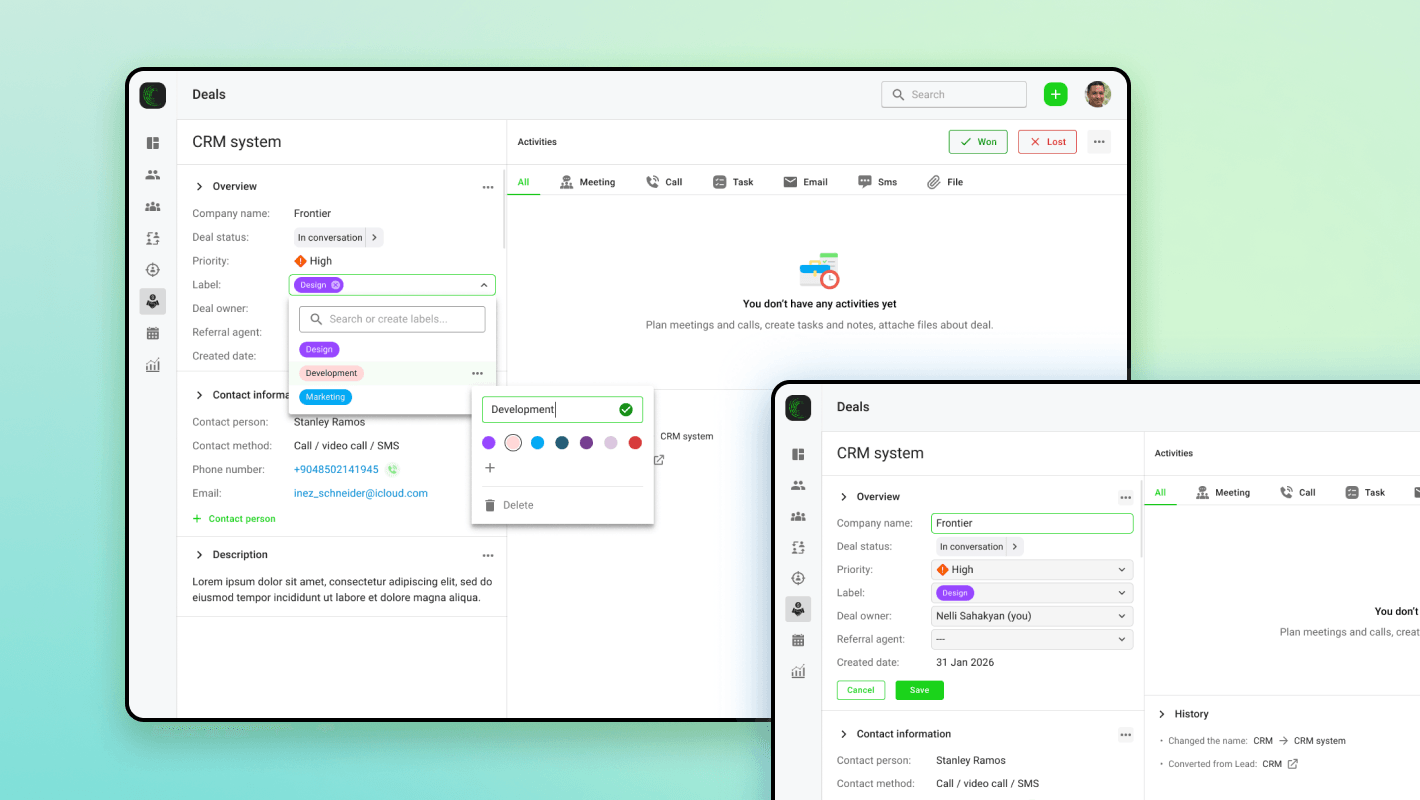
Leads, deals, tasks, calendars, bookings, and calls.
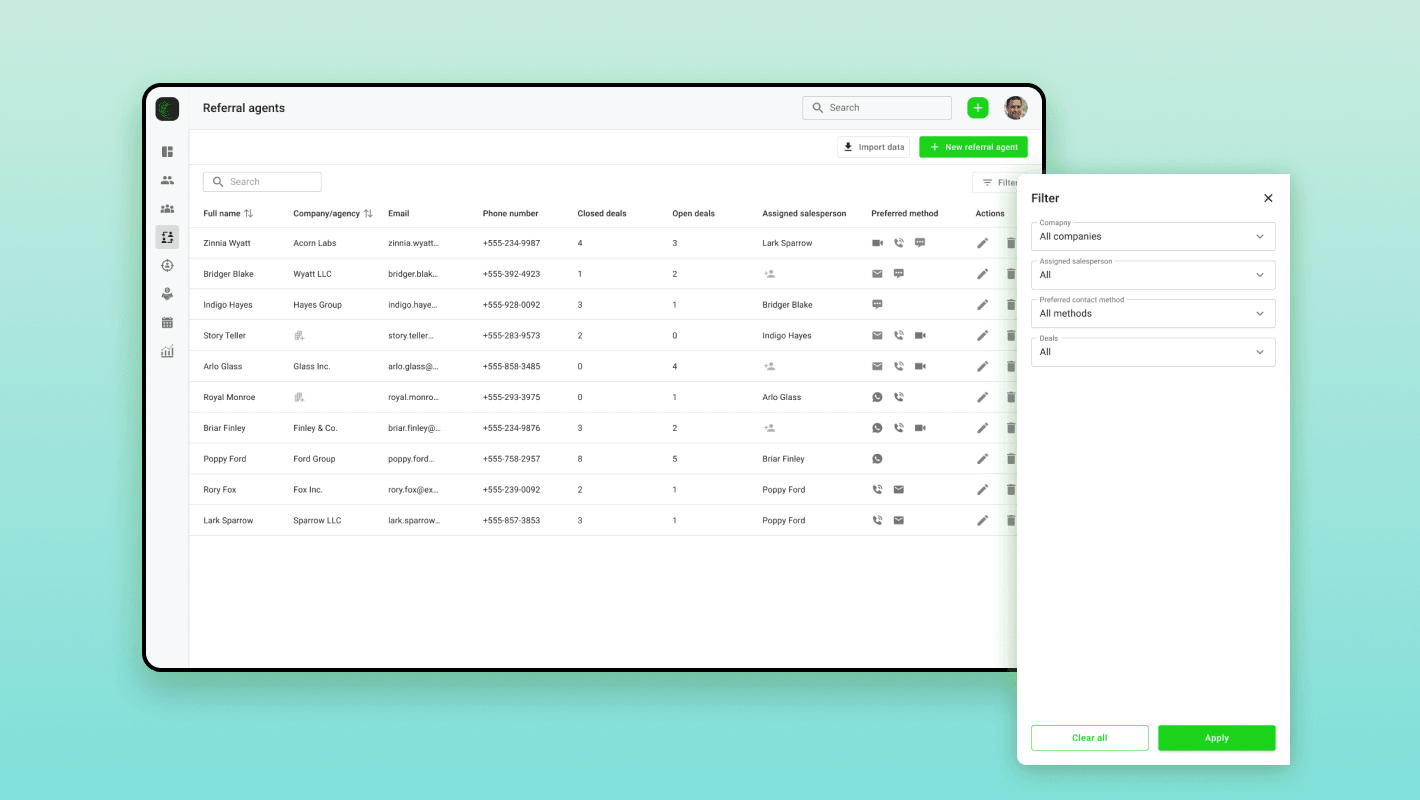
Customer records and reports in one operational environment.
A functional view of the product’s workflows.
Explore the interfaces and workflows. Select an image to view it in detail.
Different roles. One connected platform.